
Debt Snowball Spreadsheet in Google Sheets (and Avalanche)
How the debt snowball and debt avalanche work, which pays off faster, and the Google Sheets formulas to see your payoff date for every debt.
Efficiency Sheets ·

The debt snowball and the debt avalanche are two ways to decide which debt to pay off first. In both, you pay the minimum on every debt and put all your extra money toward one target. When that debt is gone, its payment rolls into the next one, so the amount you're throwing at debt keeps growing.
- Snowball: target the smallest balance first.
- Avalanche: target the highest interest rate first.
An example
You have $400 a month beyond your minimums.
| Debt | Balance | APR | Minimum |
|---|---|---|---|
| Store card | $900 | 26% | $35 |
| Credit card | $4,200 | 22% | $110 |
| Car loan | $9,800 | 7% | $290 |
The snowball and avalanche both start with the store card here. It's the smallest balance, and its 26% is also the highest rate. With $435 a month going to it ($35 minimum + $400 extra), it's gone in about 2 months. Then $435 rolls onto the credit card, which now gets $545 a month.
When the smallest debt has a low rate, the two methods split. Snowball gives you a quick win, while avalanche saves more interest.
Setting it up in Google Sheets
Questions
Which is better, snowball or avalanche?
Avalanche costs less in interest. Snowball pays off a debt sooner, which keeps many people motivated. The best one is the one you'll stick with.
Do I stop paying minimums on the other debts?
No. Always pay every minimum. The extra money goes to one target debt at a time.
Should I include my mortgage?
Usually not. Most people use the snowball for credit cards, personal loans, car loans and student loans, and leave the mortgage on its normal schedule.
What does NPER return if my payment is too small?
An error. It means the payment doesn't cover the monthly interest, so the balance would never go down. Raise the payment.
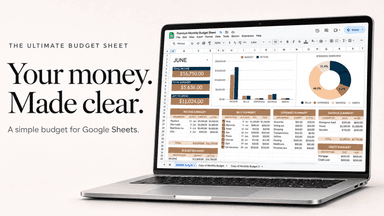
The Ultimate Budget Sheet
$11.97 · one-time · instant download